The Windows operating system (7/Vista/XP) allows you to lock folders but using third party software. A folder locker software mainly protects folders by your given password. Security is always a major fact if you have some personal or important files and want to make them hidden from others. Many file/folder locker software are available to download but here you will get a powerful software which will protect your folders more strongly with its advance features.
5/11/12
Take Ownership & Grant Full Control Permission in Windows 7/Vista
 |
| Folder access denied |
4/30/12
How to Password Protect USB Drive in windows 7
 |
| Windows 7 | BitLocker |
4/21/12
3 Ways to Enable Administrator Account in Windows 7
The administrator account is a hidden, disabled and built-in account with Windows 7/Vista/xp. But a user can enable this account for some special actions. Such as troubleshooting, installing harmful software or some special networking tasks. By default, most of the user accounts are a part/member of the Administrator account. Others are standard accounts without being any part of an administrator account.
1/30/12
How to add image or picture to mp3 files
Adding a new image or changing the existing mp3 album image is really a fun! But many of our friends don’t know how doing that simple task. So here you will know how to add an image to mp3 files and show that image when you play the mp3 song by any media player.
Change folder or drive background and icon in windows 7
We’re going to show some customizer tools for Windows Explorer. These tools will customize the look of your folders or drives. You will able to add a background image or change the icons of both drives and folders by some clicks. This software is tested and won’t do any damage to your System. Actually these tools will create .ini and .inf file which is hidden and system file.
1/26/12
Customize USB flash drive [Icon, background & label]
Tweaking own USB flash drives in Windows 7/vista/xp by assigning icon, its background and it’s label/name is really a simple trick. Though USB customizer tools are available to download and using those tools one can customize own USB. It is discussed here. But if we got the tricks to customize our own gadgets then no software or other tools won’t be required.
Subscribe to:
Posts (Atom)
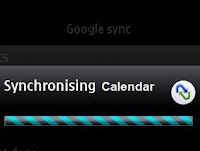
Sync your Nokia S40 Calendar with Google Calendar
Google synchronize allows a device to sync its contacts as well as its calender . On a mobile device the calendar is the second, somewhere...
-
 By connecting flash drives to the affected computer, often it shows flash drive containing just some folder's shortcuts. Sometimes it sh...
-
 Adding a new image or changing the existing mp3 album image is really a fun! But many of our friends don’t know how doing that simple task. ...
-
Now-a-days mobile is a very important and carries various important data in it. The most important is the Address Book/Phone Book. Today’s m...
